Built in South Africa for guarding companies
Every post, proven.
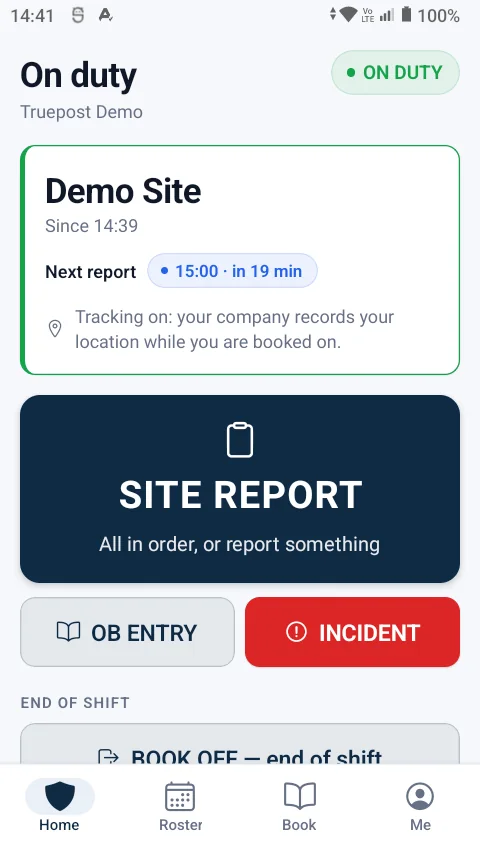
Truepost is security guard management software. Guards book on at the site with their own phone, the control room sees every post live, and the roster becomes the timesheet and the payroll sheet.
14-day free trialUp to 10 guardsNo card needed
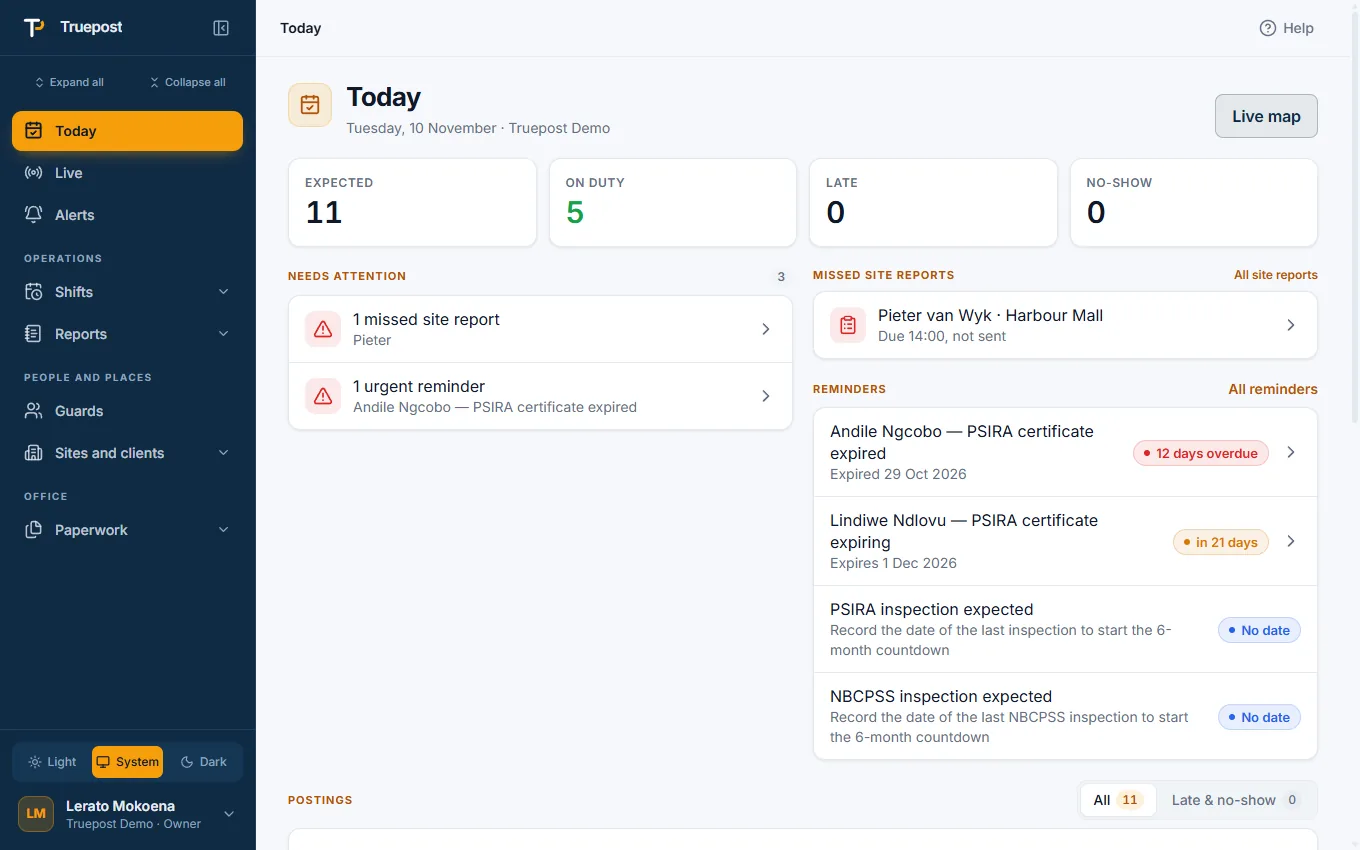
No hardware to buyGuards use the Android phones they already carry.
Works without signalSaved on the phone, sent when signal returns.
Hosted in South AfricaYour data stays in Cape Town.
Built for PSIRA and POPIAThe records you are asked for, kept as you work.
What it does
Three things a guarding company must get right
WhatsApp check-ins, paper occurrence books and month-end timesheets all try to answer the same three questions. Truepost answers them as the day happens.
Was the guard on post?
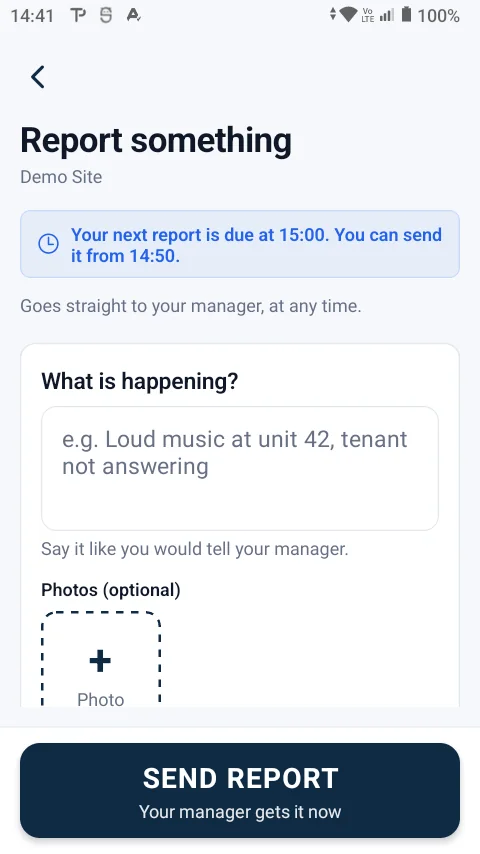
A book-on is taken only at the site, with a position, a photo and the time. Site reports and night wake checks follow through the shift.
Is every post covered right now?
The live board shows who is on duty, late or absent, and alerts the office the moment a report is missed or a guard leaves the site.
What must we pay and prove?
The roster becomes postings, book-ons become timesheets, and the payroll sheet and the PSIRA records are a tap away.
Features
One app from the gate to the payroll sheet
Guards, drivers and supervisors use the Android app. Owners, managers and controllers use the website, or the same screens in the app.
Guard clocking app
Guards book on and off at the site with their own phone. GPS, a photo and the time prove it.
Read moreGuard monitoring
A live board and map, site reports, night wake checks, and alerts the moment something is wrong.
Read more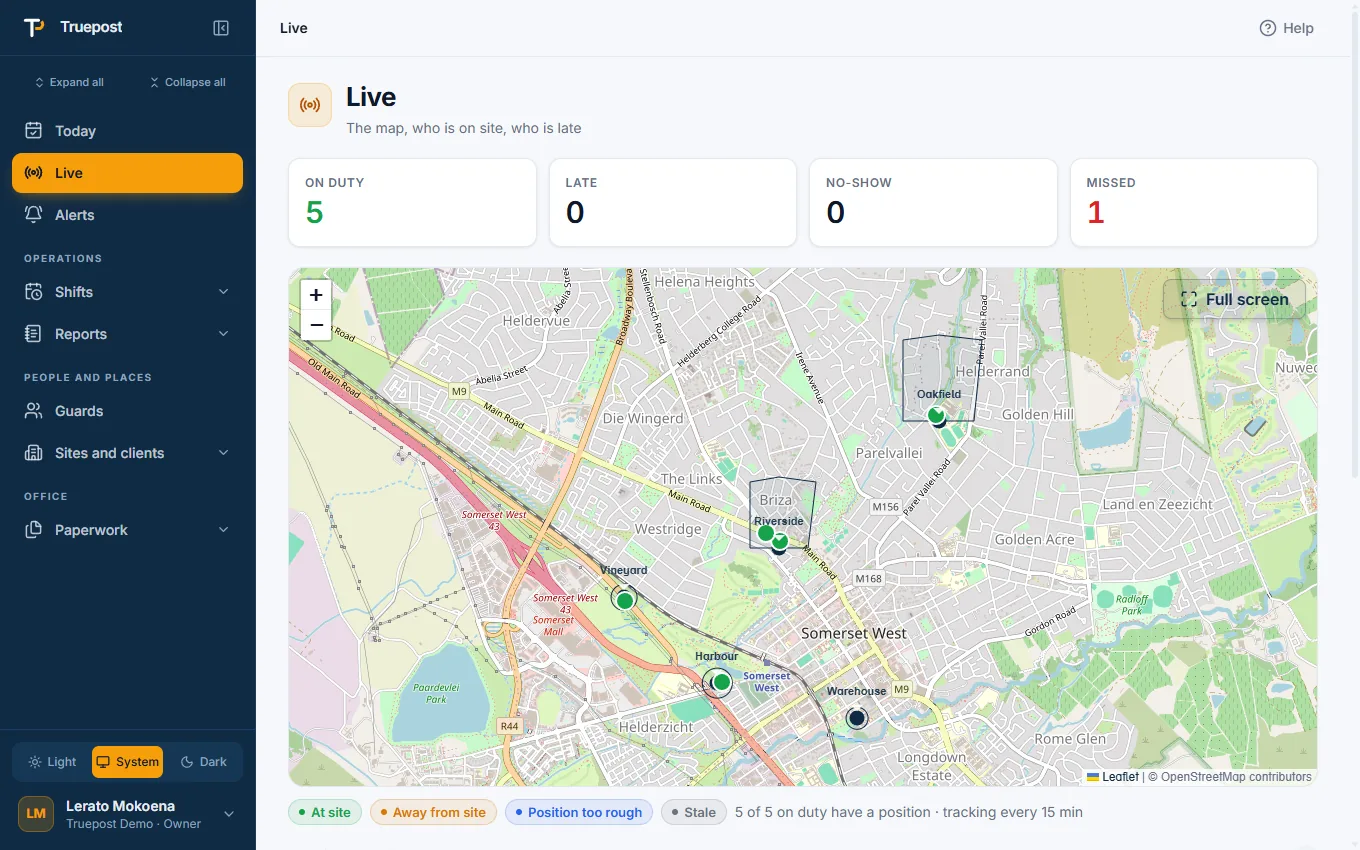
Roster and posting sheets
Plan the month per site, fill a shift pattern in one go, and let the posting sheet make itself.
Read moreOccurrence book and incidents
A digital OB nobody can edit, incident reports with photos, and a daily report for each client.
Read moreTimesheets and payroll
Hours come from real book-ons. Correct, sign off and export the payroll sheet to Excel.
Read morePSIRA compliance
Namelist, posting sheets, registers and certificate expiry reminders, ready when the inspector is.
Read moreAnd the rest
Pickups, client reports, imports, reminders, roles, guardhouse phones, help on every screen and a dark mode.
See every featureProof of presence
A book-on that cannot be done from home
The guard taps one button. The app decides whether it counts.
- At the site only. Away from it, the phone says how far and refuses.
- Location on, a fresh position, no fake-location apps.
- A selfie and a photo of the post with every book-on.
- Saved without signal and sent later with its own time.
Every site is different
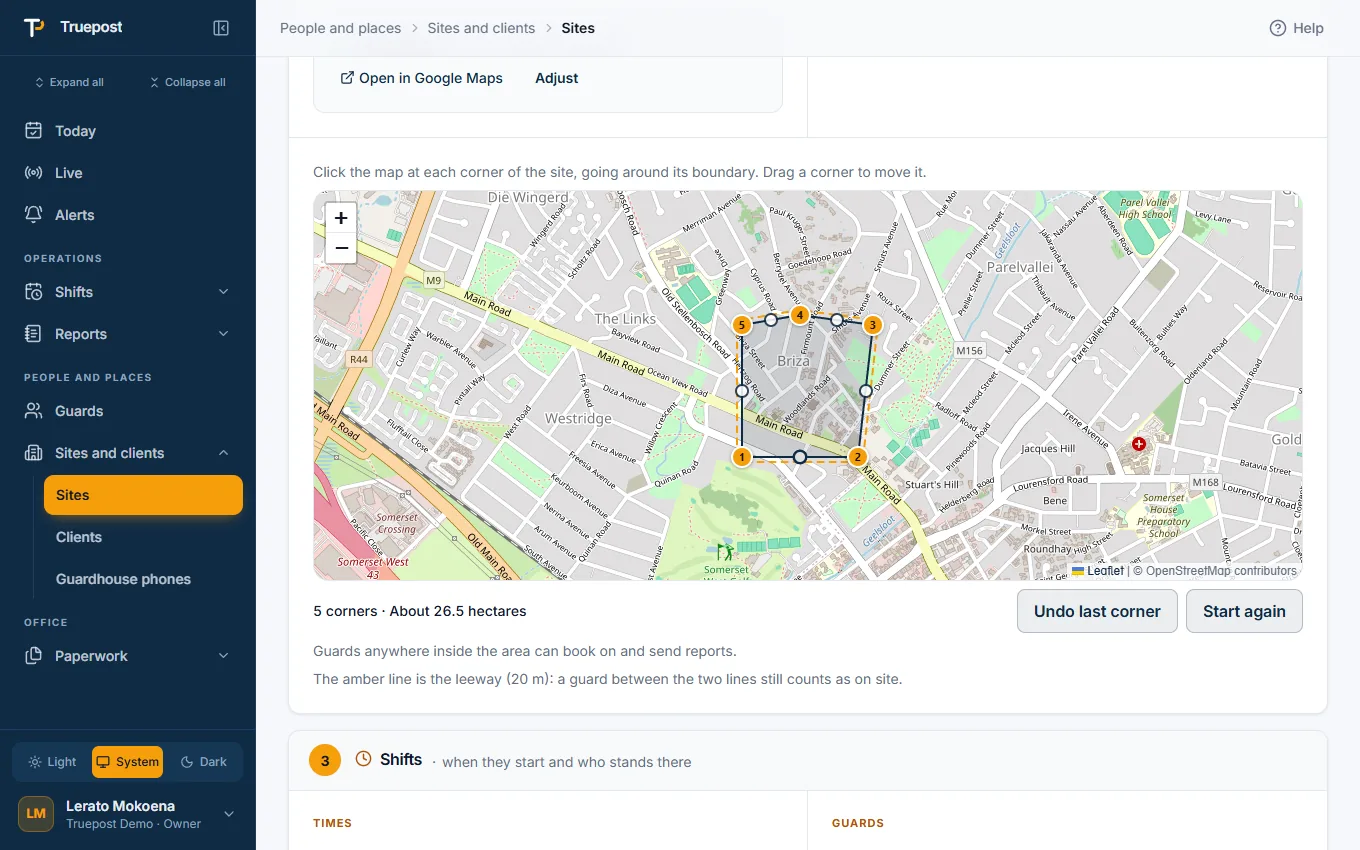
A site is not always a circle
A guardhouse fits a circle around a pin. An estate, a farm or a mall does not.
- Draw the site's area on the map, corner by corner. A guard anywhere inside it is on site.
- Each site's own rules where it works differently: when booking on opens, when a guard is late, how long a relief has to get there.
- Each site's own shift times, report times and wake checks.
Roster to payroll
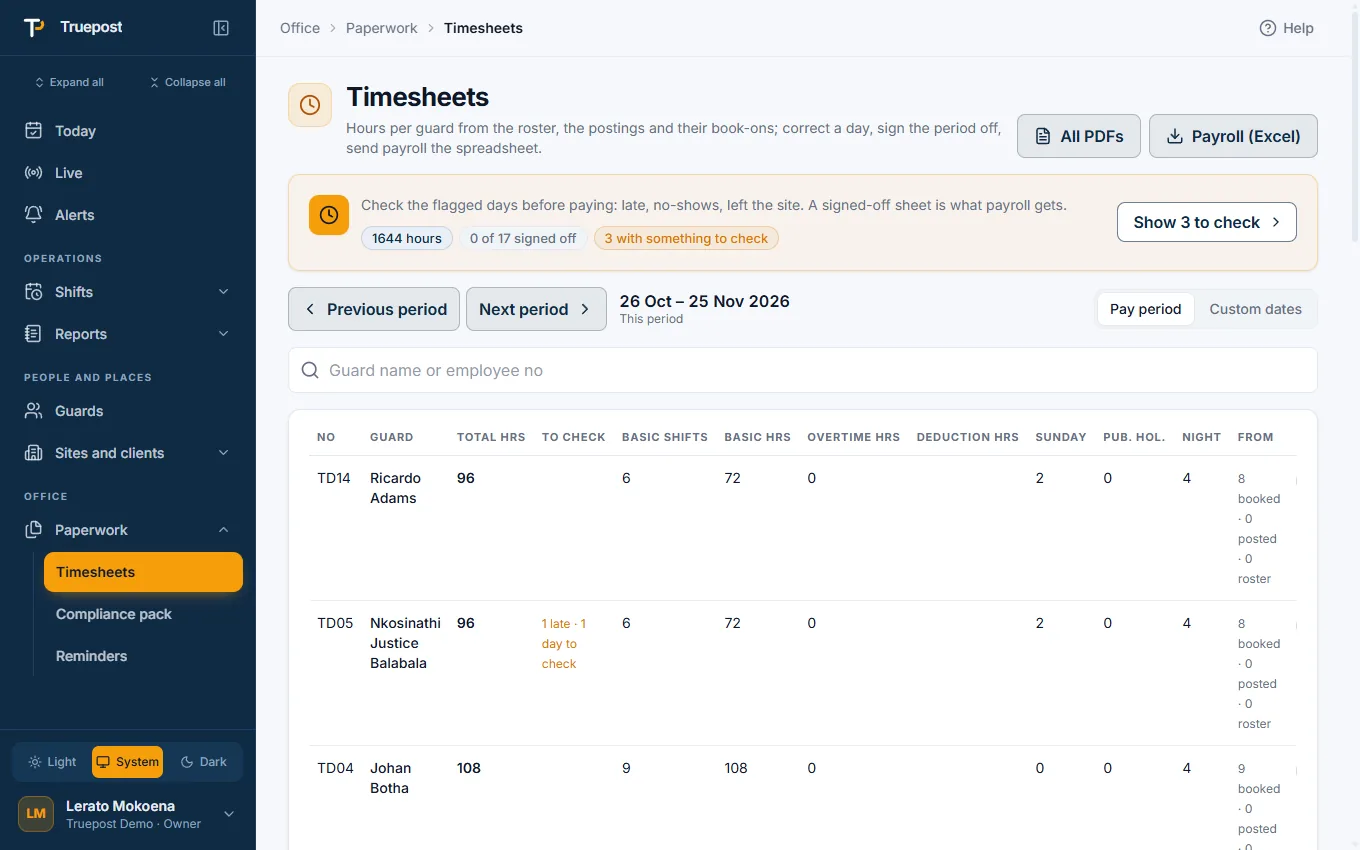
Type the roster once. The rest follows.
What you plan, who was posted and what was worked are one chain, not three spreadsheets.
- Postings make themselves twelve hours before each shift, and each guard is told.
- Timesheets build from real book-ons, with Sundays and public holidays counted.
- Export the payroll sheet to Excel, and print timesheets and registers as PDFs.
For everyone in the company
Each person gets what their job needs
The whole company on one screen
Set the company's rules once, see what needs attention today, and close the month without chasing paper.
- Roster, postings, timesheets and the payroll sheet
- Guards, sites, clients, users and roles
- The compliance pack and reminders
- Client reports and share links
The control room's day
Who is on post, who is late, which report was missed, and one tap to act on each.
- Today and the Live board and map
- Book a guard on or off, mark absent, post a relief
- Site reports, the occurrence book and incidents
- Only the alerts they choose
Out on the road
Supervisors and drivers work from the phone app, with the screens their job needs.
- Today and Live on the phone
- The driver's pickup run, one stop at a time
- Book a guard on at the site when their phone cannot
- Add a site from where they stand, and walk its boundary
Big buttons, plain words
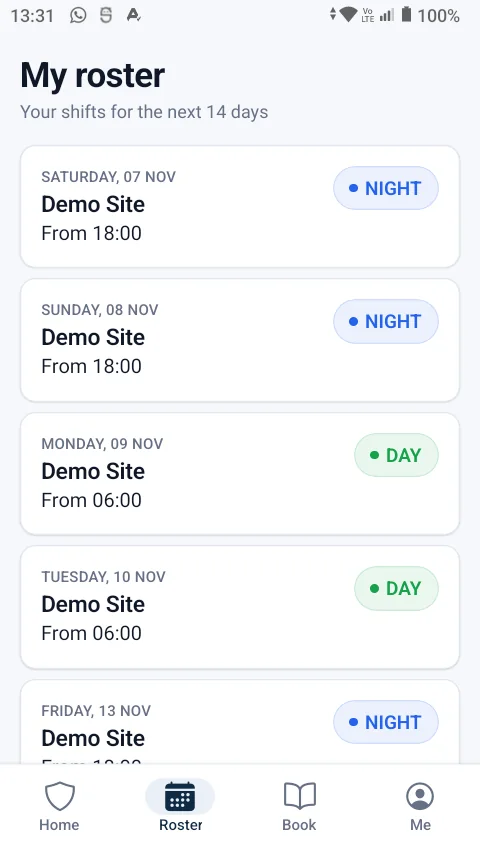
A guard learns the app in the time it takes to book on once. Nothing to set up, nothing to configure.
- Book on and book off at the site
- Site reports when the phone asks
- Occurrence book entries and incidents, with photos
- Their own roster and their own hours
PSIRA and POPIA
The records you are asked for, kept as you work
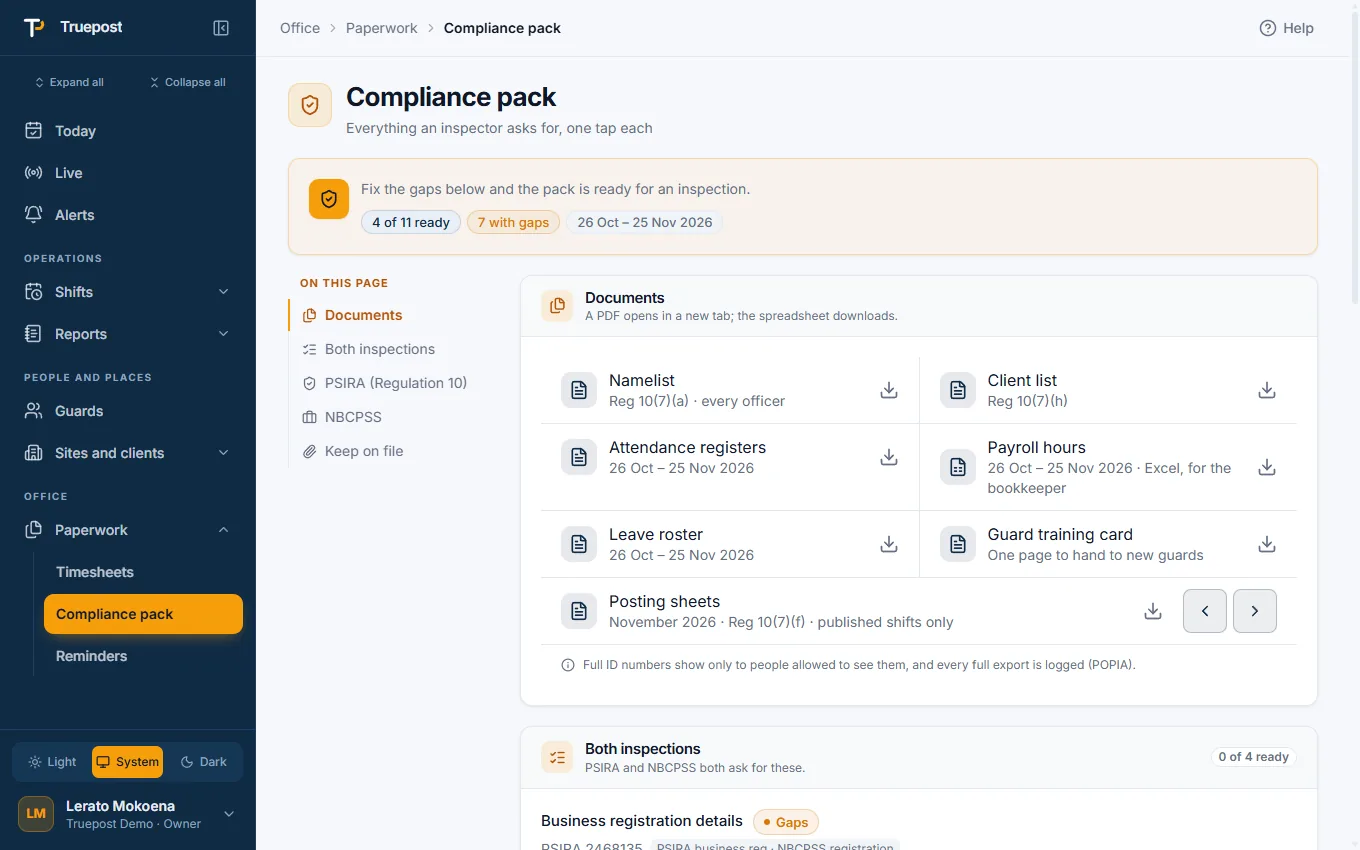
Nobody builds a namelist the night before an inspection. It is already there.
- Namelist, posting sheets and registers as documents, any time.
- PSIRA certificate expiry reminders and a warning on the roster.
- A privacy notice every guard accepts, and location only on duty.
- ID numbers encrypted, data hosted in South Africa.
Getting started
Set up in an afternoon
No installation on your side and no training days. A checklist in the app takes you through it.
Register your company
On the website, in a few minutes. Your free trial starts at once.
Add guards and sites
Type them in, or import the lists you already have from Excel, a PDF or a photo.
Guards get the app
They install it on Android and sign in with their cellphone number.
Roster and go
Fill the roster. From the next shift, postings, book-ons and timesheets run themselves.
Pricing
Try everything free, then one monthly price
14-day free trial, up to 10 guards, no card needed. After the trial you choose a plan by the number of guards you run, from R599 a month, with every feature included.
Questions
Asked before signing up
What do we need to buy?
Nothing. Guards use the Android phones they already carry, or a shared phone at the guardhouse, and the office uses any computer, tablet or phone. There are no batons, tags or readers to install.
Does it work without signal?
Yes. Everything a guard does is saved on the phone first and sent when signal returns: book-ons, reports, occurrence book entries, incidents and photos. Reminders still ring, because they are set on the phone itself.
Which phones does it run on?
The guard app is for Android and is built for entry-level phones. Owners, managers and controllers can use the website on anything with a browser, including an iPhone.
How long does it take to set up?
Register your company in a few minutes, then add or import your guards and sites. A setup checklist takes you through the first steps, and your trial has 14 days and room for 10 guards.
Can we import our guard and site lists?
Yes: from Excel, CSV, a PDF or a photo of a list. You see a preview and choose what to import before anything is saved.
Where is our data kept?
In South Africa, in Amazon Web Services' Cape Town region. Each company's data is kept apart from every other company's. See Security and POPIA.
Is it only for security companies?
Truepost is built for guarding: PSIRA numbers and grades, occurrence books, posting sheets. If your teams work on site and on shift in another industry, talk to Sentrio Systems.
See your own sites on the board tomorrow.
Register your company today. 14-day free trial, up to 10 guards, no card needed.