Guard monitoring system
Know every post is covered, right now.
Truepost shows the control room who is on duty, who is late and which report was missed, on one screen that keeps itself up to date. The guard's phone does the checking in.
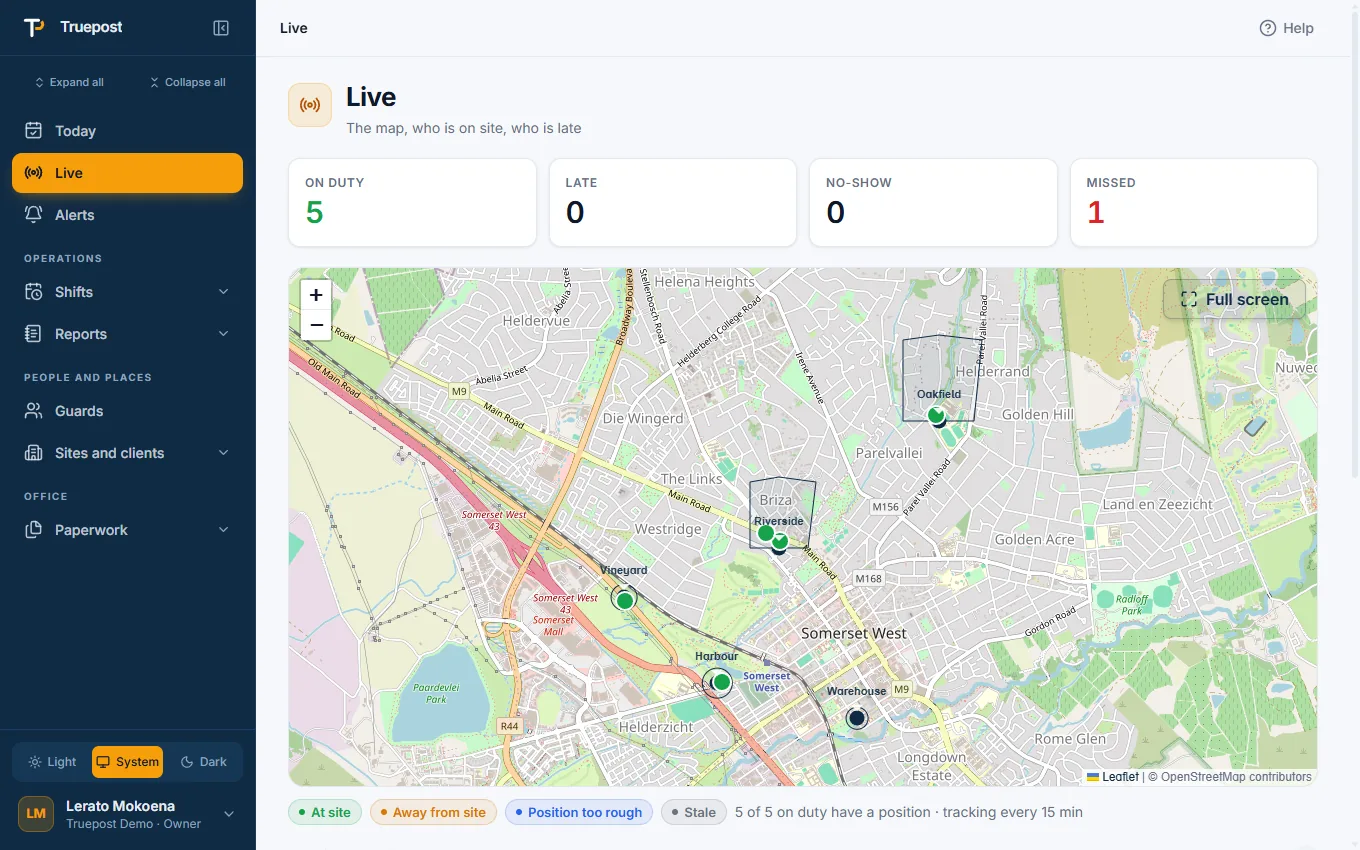
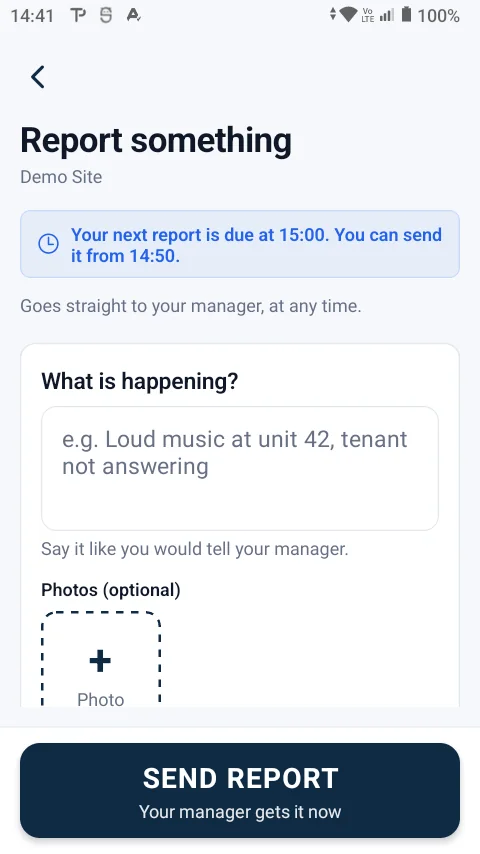
A live board and a live map
Open Live and see the day as it stands: no phoning around, no WhatsApp groups to scroll through.
- Four numbers first: on duty, late, absent and missed reports.
- A map of your sites and guards. Each site with its area, each guard where their phone last was: at the site, away, or not heard from.
- What needs attention at the top, each line a tap away from fixing it.
- Not booked off: a shift still open long after it ended is shown, so nobody is paid for a forgotten shift.
Site reports and night wake checks
The guard's phone asks for a report when one is due. One tap says all is in order; anything else gets a note and a photo.
- On your schedule. Every hour, every 30 minutes, or at set times: for the company, or for one site.
- Wake checks at night at times nobody can predict, spread over the night: a photo check-in that shows the guard is awake.
- Only from the site. A report sent from somewhere else is refused, like a book-on.
- Missed means missed. A report not sent in time is marked missed and the office is informed. It can still be sent late.
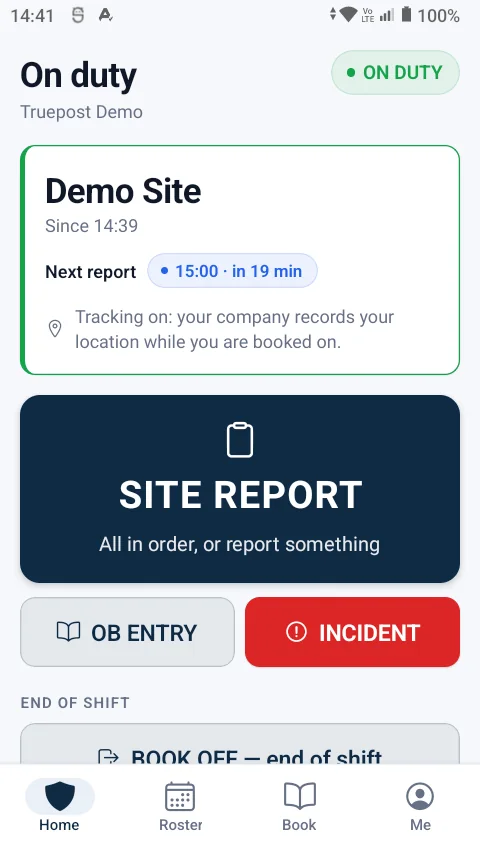
Alerts that say what to do
The office is told when something needs a person, in words, with a tap to the right screen. Each person chooses which alerts they get.
- Act now: an absent guard, a missed report, a guard who left the site, location switched off, a fake-location app, an incident.
- Look soon: a late guard, a phone not heard from, a shift not booked off.
- Good news too: back at the site, booked on after all.
- On-duty tracking is your choice. Location only at book-on, book-off and reports, or every few minutes while on duty. Never off duty.
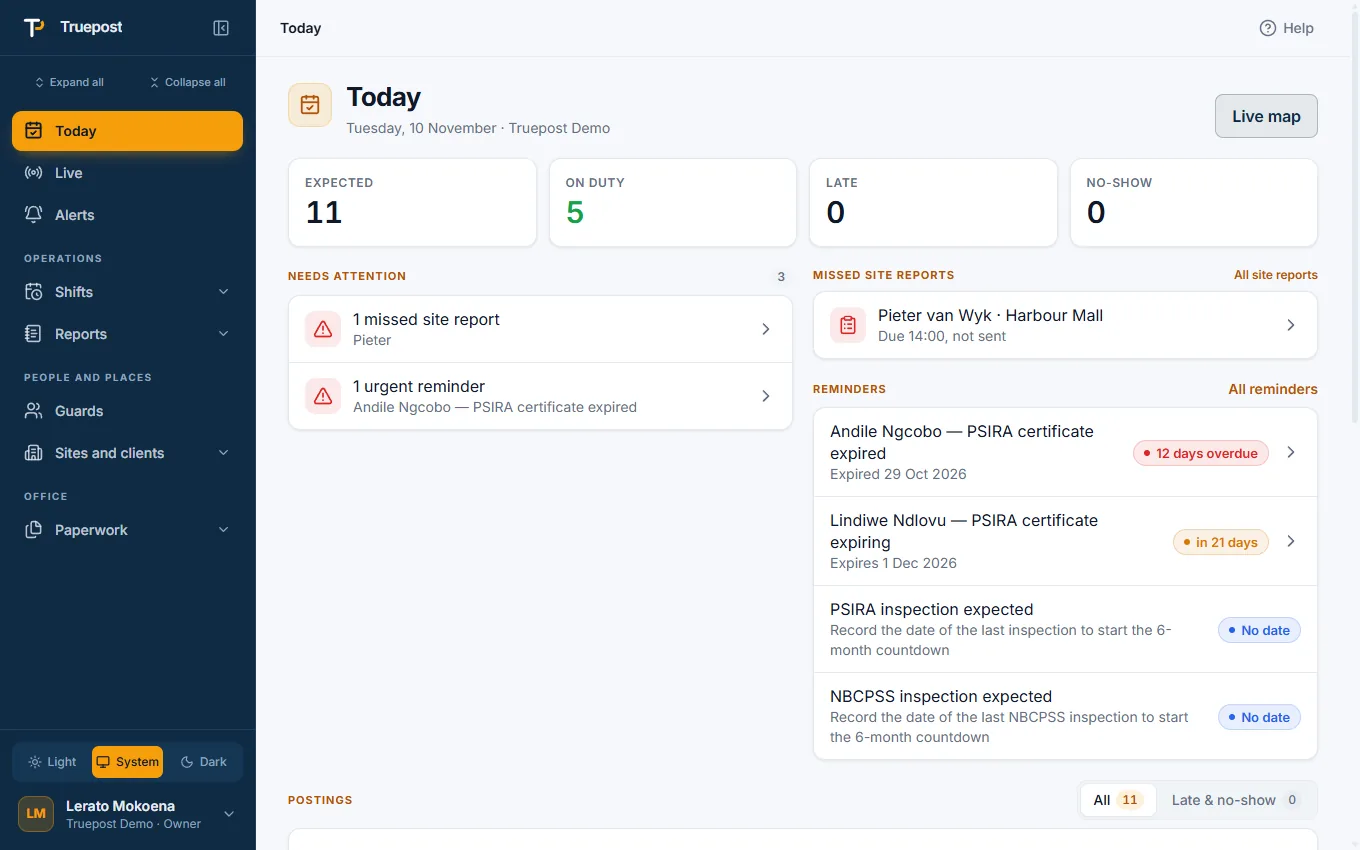
Made for the control room
Post a relief in seconds
Mark a guard absent and post a relief from the same screen. The relief is told where to go and by when.
Your alerts, not everyone's
Each office person switches off the groups they do not want. The occurrence book still keeps everything.
On a phone too
Every office screen is in the phone app as well, so a supervisor in a vehicle sees what the control room sees.
Questions
Asked before signing up
Do guards need to be tracked all the time?
No. By default a guard's location is recorded only when they book on, book off or send a report. Your company can switch on tracking every few minutes while a guard is on duty. Location is never recorded off duty.
What is a wake check?
A photo check-in the phone asks for at a random time during a night shift. Your company chooses how many per night and between which hours, and a site can have its own number.
What happens when a guard leaves the site?
With on-duty tracking on, the guard and the office are both told, with how far from the site the guard is, and the occurrence book and the timesheet record the time away.
Does it replace patrol batons?
For proving presence at a site, yes: the phone's location and photos do that. Checkpoint-by-checkpoint patrol routes inside a site are not part of the app today. A patrol site's reports are checked for movement between them.
More of the app
It all works together
Guard clocking app
Guards book on and off at the site with their own phone. GPS, a photo and the time prove it.
Read moreRoster and posting sheets
Plan the month per site, fill a shift pattern in one go, and let the posting sheet make itself.
Read moreOccurrence book and incidents
A digital OB nobody can edit, incident reports with photos, and a daily report for each client.
Read moreTry it with your own sites and guards.
14-day free trial, up to 10 guards, no card needed. Register your company and be set up the same day.