Roster software for security companies
From the month's roster to tonight's posting sheet.
Plan who works where in Truepost, and the app turns each day's roster into postings, tells each guard where to be, and keeps the posting sheet for the client and the inspector.
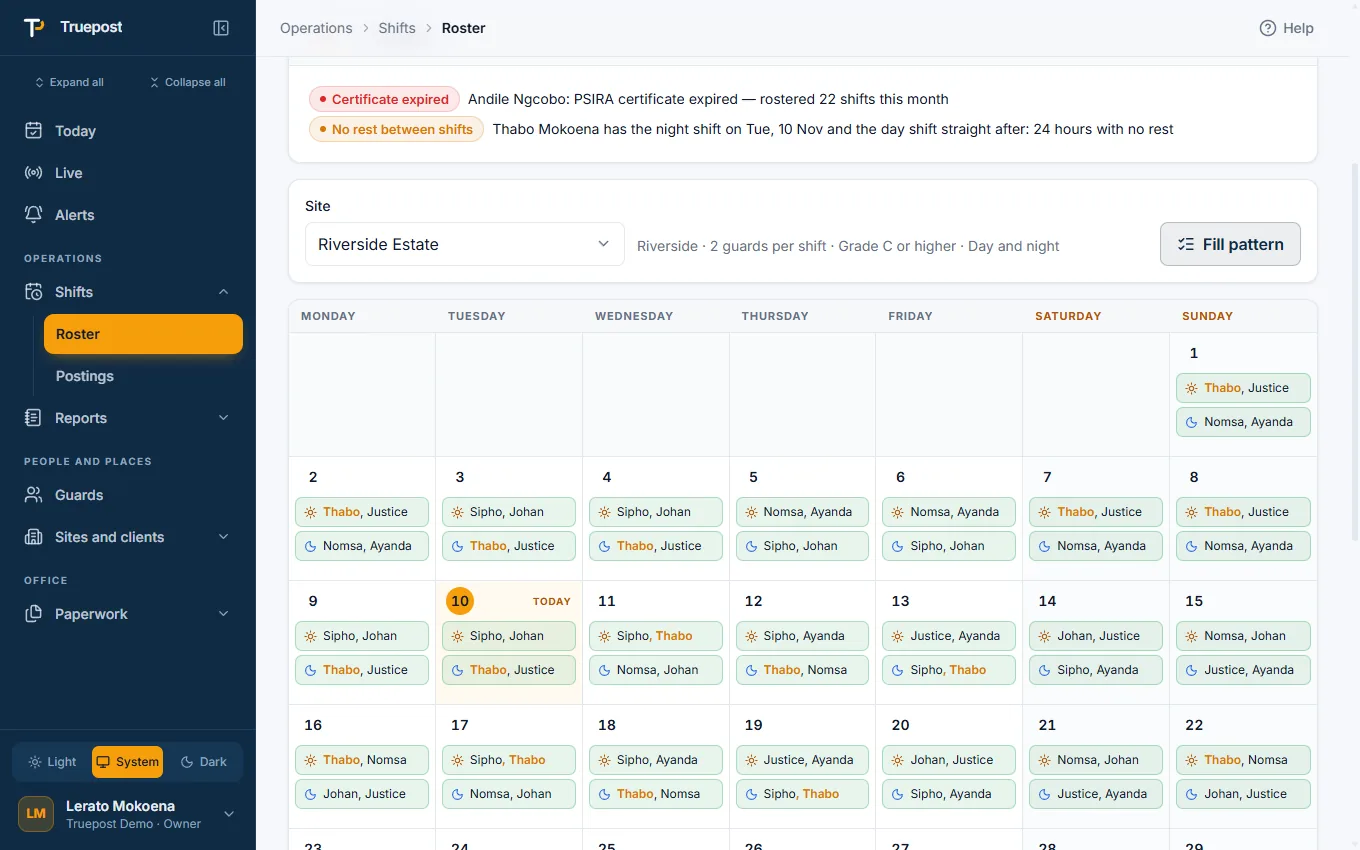
A month per site, filled in minutes
Pick a site and a month. Assign a shift with a click, or fill a rotation for the whole crew at once.
- Fill a pattern. Two days, two nights, two off and other rotations: choose the guards, the day it starts, and see who starts where before you fill.
- Copy last month, or import the roster you already keep in a spreadsheet.
- Leave and days off on the same calendar, and a view per guard.
- Warnings while you plan: a guard below the site's grade, or with an expired PSIRA certificate.
Postings that make themselves
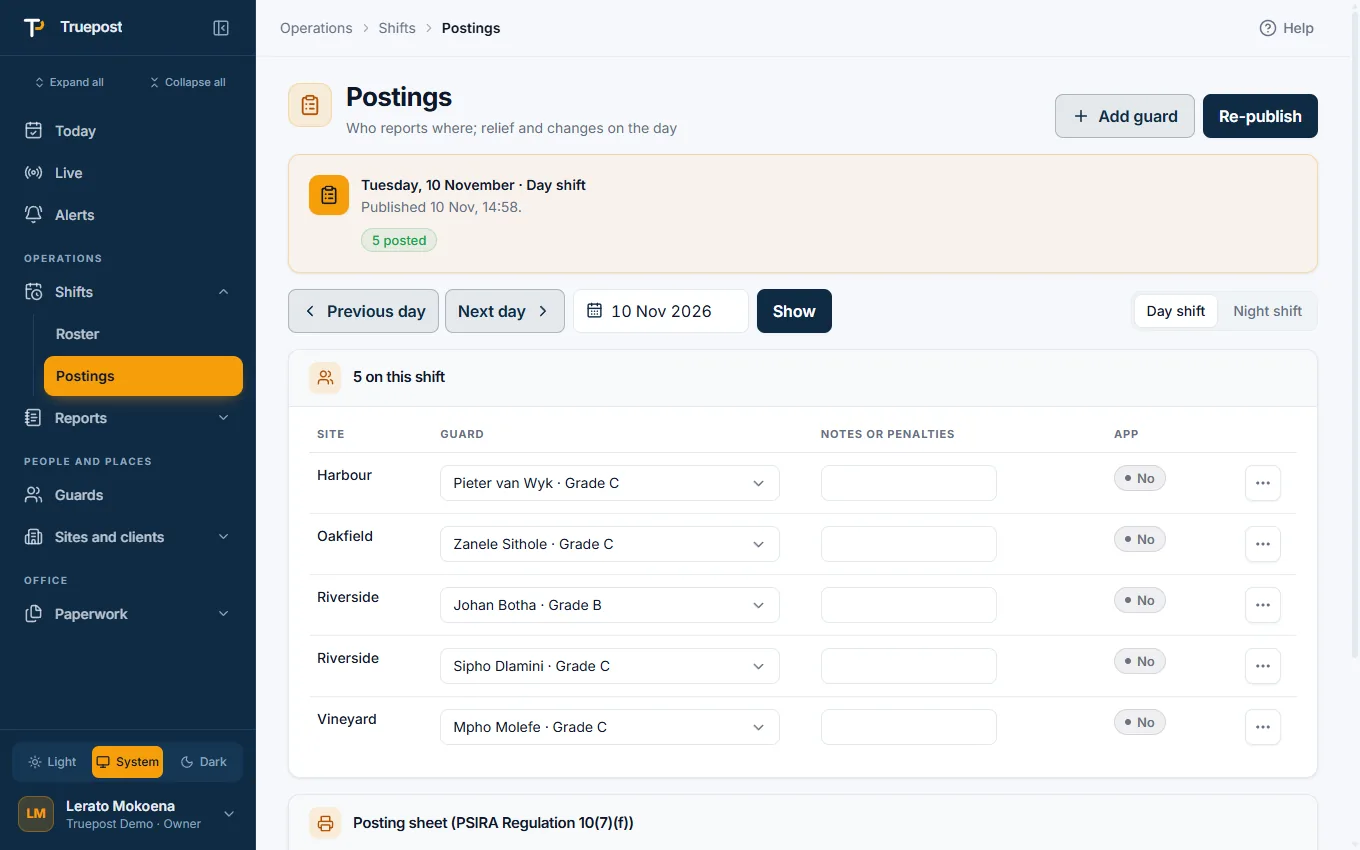
Twelve hours before each shift the app makes that shift's postings from the roster and publishes them. You change what changed.
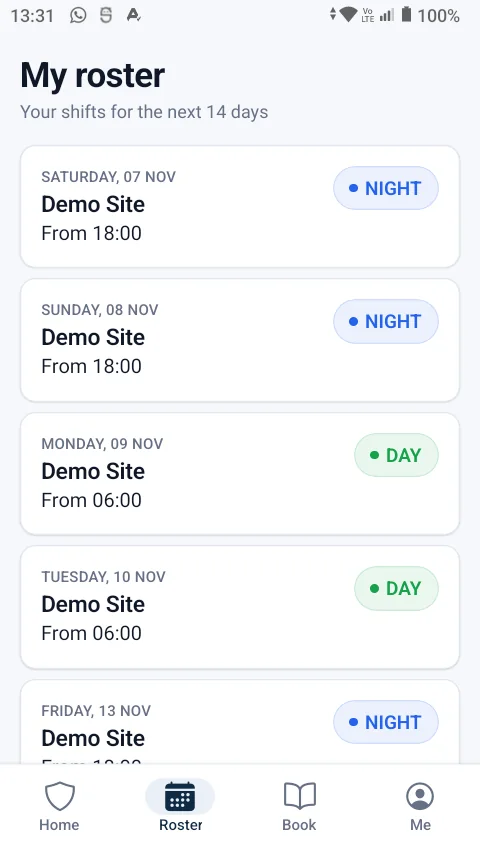
- Every guard is told on their phone: the site, the shift and when to be there.
- Change a guard, add one, post a relief. A guard posted after the shift started gets time to travel before they count as late.
- The posting sheet as a PDF, per shift and per month, for the client and for an inspection.
- Each site's own shift times, guards per shift and minimum grade.
Pickups, if you fetch your guards
Companies that collect guards run the pickup from the same roster. Companies that do not never see it.
- Routes and stops with times, and each guard's own stop.
- The driver's run, one stop at a time. The driver ticks only who is not there.
- The guard can say they will get to site themselves, and the driver does not wait.
- The office hears when a guard was not at the pickup, in time to arrange a relief.
Each site works its own way
A site's own rules
Your company sets the standard rules once. A site that works differently sets its own: when booking on opens, when a guard is late, how long a relief has to get there.
A site's own area
Draw each site's boundary on the map. A very small site can use a simple circle around the pin.
Bring what you have
Import guards, sites, clients and rosters from Excel, CSV, a PDF or a photo of a list. You check the preview before anything is saved.
Questions
Asked before signing up
Can I import my existing roster?
Yes. Import a roster from a spreadsheet, and guard, site and client lists from Excel, CSV, a PDF or a photo. You see a preview and untick what you do not want before it is saved.
What shift patterns does it support?
Day and night shifts with each site's own start times, day-only and night-only sites, and rotations such as two days, two nights, two off. The fill tool shows what a crew of that size covers before you fill.
How do guards know where to work?
When a shift's postings are published each guard gets a notification with the site and the time, and their own roster is on their phone.
What is a posting sheet?
The record of who was posted at which site for a shift. The app keeps one for every shift and gives it to you as a PDF, per shift or for a whole month.
More of the app
It all works together
Guard clocking app
Guards book on and off at the site with their own phone. GPS, a photo and the time prove it.
Read moreGuard monitoring
A live board and map, site reports, night wake checks, and alerts the moment something is wrong.
Read moreOccurrence book and incidents
A digital OB nobody can edit, incident reports with photos, and a daily report for each client.
Read moreTry it with your own sites and guards.
14-day free trial, up to 10 guards, no card needed. Register your company and be set up the same day.